What does the end of Windows 10 support mean for IT infrastructure and how should companies migrate to Windows 11?
The end of Windows 10 support signals inevitable migration to Windows 11, requiring strategic planning to manage security, productivity, and costs effectively.
October 14, 2025, marked the end of standard support for Windows 10 for many, but European IT infrastructure managers might still rely on extended solutions like Windows 10 Enterprise LTSC 2021 or Extended Security Updates (ESU). However, migrating to Windows 11 is unavoidable and affects both time and budget.
What does the true cost of postponing Windows 11 migration include beyond the license?
Paying for an ESU or using an LTSC version are temporary solutions that increase risks and technical debt, such as:
- Reactive vs. proactive security: ESUs only cover critical vulnerabilities, leaving you outside Windows 11’s advanced security model with TPM 2.0 and Secure Boot protections.
- Productivity stagnation: teams miss out on Windows 11 workflow improvements like Snap Layouts and enhanced cloud integration.
- Barrier to innovation: Copilot+ PCs and integrated AI advancements are exclusive to Windows 11, so delays increase inefficiency.
Download the Windows 11 migration guide [https://www.applivery.com/es/recursos/white-paper/despliegue-exitoso-de-windows-11-empresas/]
How does focusing on Windows impact overall IT fleet management?
Focusing resources on managing Windows ESU licenses or slow migrations diverts attention from other crucial fleet operations. Apple and Android devices still need enrollment, updates, and compliance management. The real domino effect risks ignoring security and efficiency across your entire technology ecosystem.

Why is automation the logical choice to free up IT resources?
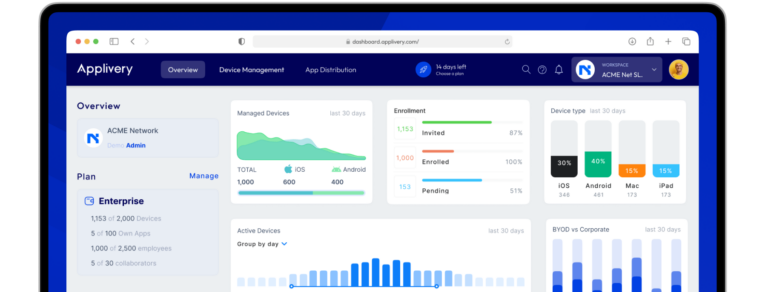
In pressured environments with limited resources, working smarter is key. Automation with Applivery’s Unified Endpoint Management (UEM) platform enables:
- Automated enrollment and configuration of Apple and Android devices.
- Centralized deployment of updates and security policies with one click.
- Ensured compliance and data protection across all endpoints.
This frees up your team’s time and focus, letting you handle the Windows migration confidently while the rest of your fleet runs securely and efficiently.
Want to see how it works for your specific case? [https://www.applivery.com/es/demo/]
What roadmap should companies follow for a controlled Windows 11 migration?
Exiting Windows 10 requires a clear, updated plan beyond just technical guidance. Applivery’s updated “Definitive guide to Windows 11 migration” covers:
- A checklist for post-deadline scenarios.
- Hardware analysis for upcoming purchases, including Copilot+ requirements.
- Migration paths that minimize impact and cost.
- Solutions for common late migration technical challenges.
Stop paying for outdated support and invest in your company’s future with this free guide.
Download the Windows 11 migration guide [https://www.applivery.com/es/recursos/white-paper/despliegue-exitoso-de-windows-11-empresas/]
Applivery TL;DR
- Windows 10 support ended October 14, 2025, but LTSC and ESU extend timelines temporarily.
- Delaying migration increases security risks, productivity loss, and innovation barriers.
- Automate multi-platform device management with Applivery UEM to save time and ensure compliance.
- Follow a clear, expert-backed roadmap for Windows 11 migration to minimize disruptions.